


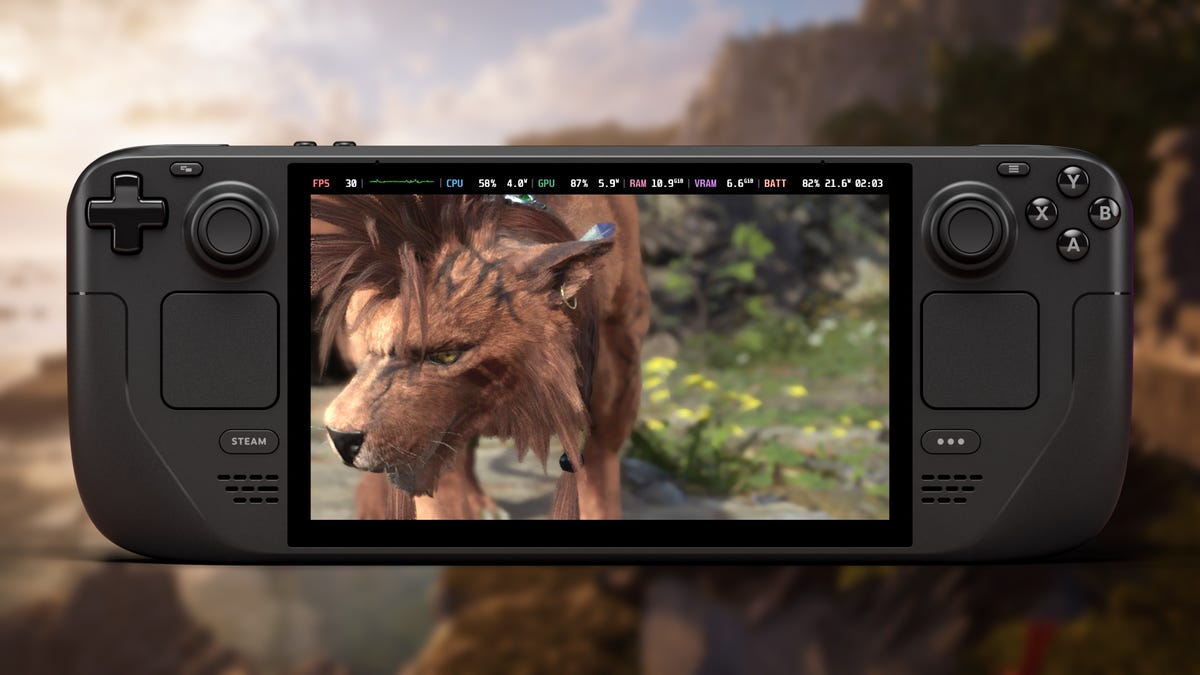
Let’s cut to the chase; it’s a small miracle that Final Fantasy VII Rebirth runs on the Steam Deck. This is a game so visually demanding that it’s the poster child for the $800 PS5 Pro. Yet, the power of Valve’s handheld device is roughly comparable to last gen’s PS4. On top of that, even Square Enix games that can run on last-generation hardware have struggled on the Steam Deck. So you can probably understand that my expectations for Final Fantasy VII Rebirth were pretty low. If Cloud’s adventure ran well enough that I could sneak in some games of Queen’s Blood on the go, I’d consider it a win.
Read More: Should FF7 Rebirth Be ‘Verified’ On Steam Deck?
So imagine my surprise when I discovered that Final Fantasy VII Rebirth actually runs…well, maybe it’s not great, but it’s at least kind of okay. The visuals need to take a heavy hit to get a consistent framerate, but after hours of testing I never ran into a single moment when the game felt outright unplayable. In fact, the areas of the game that are most conducive to handheld gameplay ran pretty well on Valve’s portable PC! It helps that Final Fantasy VII Rebirth is just an overall efficient port that even ran silky smooth when I tested it on a GeForce GTX 1650 (albeit at 1080p resolution), but there are some concessions here that specifically help out Steam Deck players too.
Read More: Final Fantasy VII Rebirth: The Kotaku Review
For more about what to expect out of Final Fantasy VII Rebirth’s Steam Deck performance, here’s our breakdown. All screenshots included in this guide come from a 512 GB LCD Steam Deck, so those with the slightly more powerful OLED Steam Deck may have a better experience.
How to adjust Final Fantasy VII Rebirth’s settings for the Steam Deck
Some PC games come preloaded with settings that best fit the Steam Deck, and Final Fantasy VII Rebirth is not one of them. The game will default to the “Medium” Graphics Quality preset, which the handheld definitely can’t handle. (Editor’s Note: On my initial run of FF7 Rebirth on the Steam Deck OLED, the game defaulted to Low settings. Be sure to check your settings as this might differ for you. — Claire Jackson).
You can adjust Final Fantasy VII Rebirth’s graphical settings by selecting Options > Graphics from either the title menu or the “System” option in the in-game main menu.
Based on my testing, these were the settings that gave me the best mix of graphical fidelity and performance at 1280 X 720 resolution:
- Background Model Detail: Low
- Ocean Detail: Low
- Character Model Detail: High
- Effect Details: Low
- Texture Resolution: Medium
- Shadow Quality: Low
- Fog Quality: Low
- Anti-Aliasing Method: TAAU
- Characters Displayed: 2
- Character Shadow Display Distance: 2
- Low-Resolution Font: Enabled
To summarize, run the game with all the settings turned down. The exceptions are bumps to Character Model Detail and Texture Resolution, which I found gave the visuals a much-needed boost at little cost to performance. That said, if you reach an area where the game really chugs, consider pushing these settings down (or lower the resolution if things get desperate).
How does Final Fantasy VIII Rebirth perform on the Steam Deck?
Like I alluded to above, Square Enix did put in some effort to make Final Fantasy VII: Rebirth look clean on the Steam Deck. One of the most consistent issues I run into when playing current-generation games on the Steam Deck is text size, which often gets squished to the point of being ugly or even unreadable on the system’s 1280 X 800 screen. Meanwhile, Rebirth is kind enough to include a Low-Resolution Font toggle, so text and menu screens look consistently crisp. It’s a small, yet appreciated touch.
Unfortunately, Final Fantasy VII Rebirth only sports 16:9 aspect ratios out of the box. This means your best option is 1280 X 720 resolution, resulting in black bars on the top and bottom of the screen. It’s not the end of the world, but an extra resolution setting to fill out the screen would have been nice.
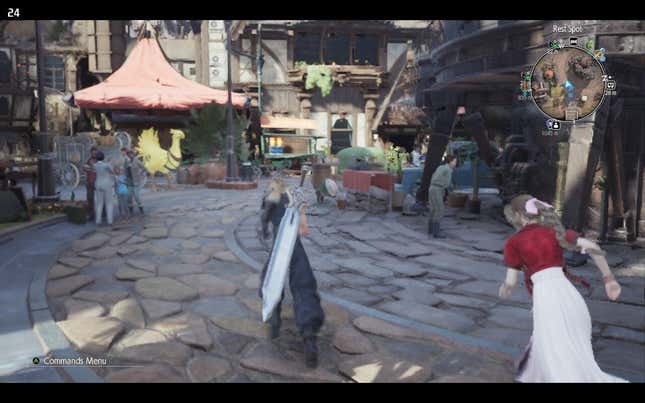
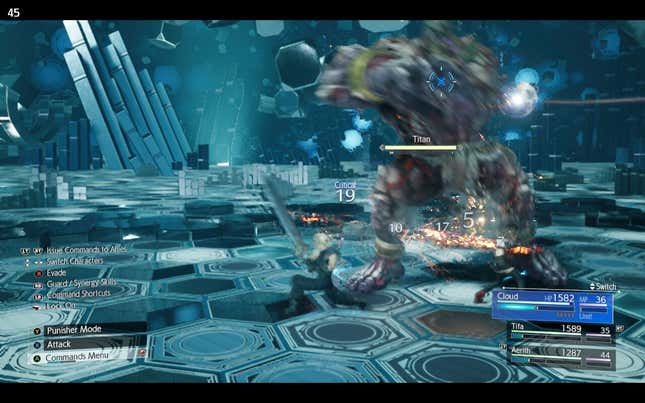
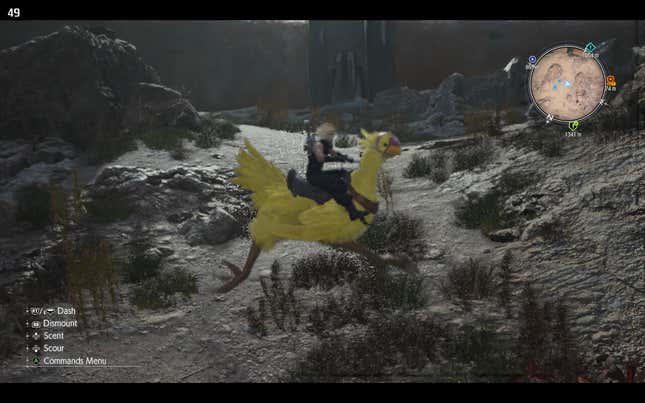
Assuming you’re using settings similar to what I listed above, your actual performance will vary depending on what you’re doing. Final Fantasy VII Rebirth struggles most in busy towns, where things can admittedly get uncomfortably close to unplayable territory. You’re looking at highs in the low 30 FPS range, with dips as low as 20 FPS or below in extreme cases. Conversely, things get way smoother when you’re out in the open world completing quests and fighting monsters. In these sections, 30 FPS is actually your low point, and you’ll typically hover in the 40-50 FPS whether you’re in combat or out exploring. Even when I fought bosses like Titan in Chadley’s Battle Simulator, I didn’t experience any dips that impacted my play experience. So expect a solid combat experience on the Deck.
Though it can hold a very playable framerate, remember that Final Fantasy VII Rebirth is not going to look like a PS5 game on the Steam Deck. It won’t really look like a PS4 game either. This game was clearly not designed for such a low resolution, so expect visuals to look blurry in even the best case scenarios. I didn’t find it bad to the point of affecting gameplay; I could read enemy telegraphs to pull off parries just fine. However, you’ll lose almost all the visual spectacle that Final Fantasy VII Rebirth has to offer on the PS5 or a powerful PC.
Should you play Final Fantasy VII Rebirth on the Steam Deck?
If the Steam Deck is your primary gaming device, Final Fantasy VII Rebirth is a tough sell. It’s fully playable, albeit in a state that feels reminiscent of playing a port of a PS4 game on the Nintendo Switch. I’d say it’s fine for someone eager to play Final Fantasy VII Rebirth who doesn’t have any other platform for some reason, but I’d generally advise against this use case otherwise.
That’s not to say you shouldn’t play Final Fantasy VII Rebirth at all on the Steam Deck. Those open world sections where the game runs smoothest are really enjoyable on a portable device! Chasing down optional battles or filling in the map is perfect for pick-up-and-play gameplay. I loved the Steam Deck as a dedicated side quest device while I enjoyed the main story on my desktop, and I absolutely recommend experiencing Rebirth this way. You theoretically could just stream the game from your desktop to the Steam Deck under these circumstances too, so your mileage may vary.
If you’re jonesing for a dedicated Steam Deck RPG, I’d sooner recommend going back to Final Fantasy VII Remake and chasing down 100% completion. That game fares noticeably better on the portable device, and you really want to finish the main story in that one before you play Rebirth anyway. Otherwise, you may want to consider less demanding games that won’t necessitate any major compromises on the system. I found 2024’s Shin Megami Tensei V: Vengeance and Ys X: Nordics to be phenomenal on the go, with enough headroom to look nice on a TV for docked play too.
I’ve really enjoyed playing Final Fantasy VII Rebirth after missing it last year, and I absolutely think you should play it in one way or another. You just might want to consider getting a stronger PC Handheld if you want to exclusively play it portably.
.
