


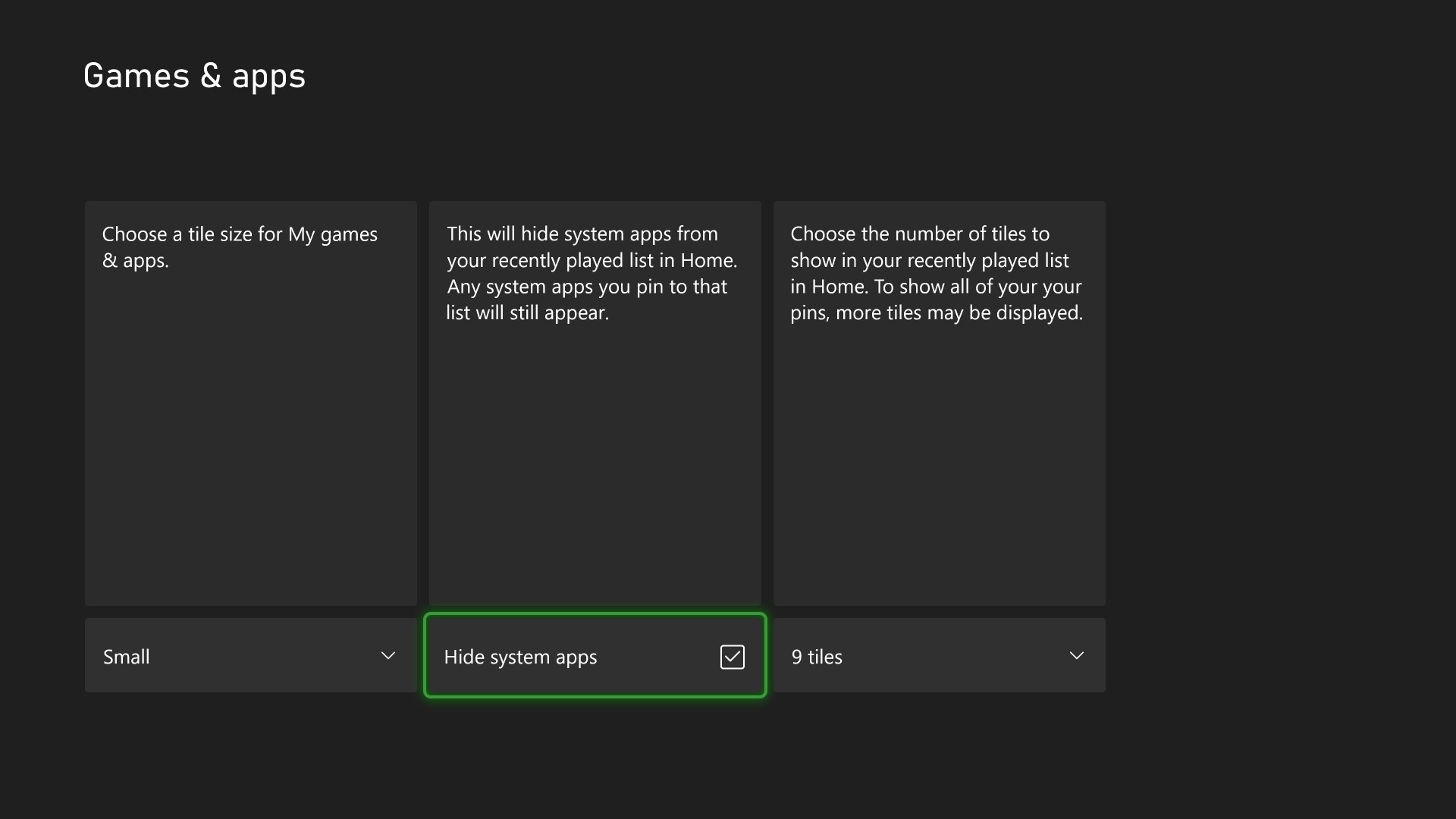
Starting this week, Xbox Insiders will notice a fresh set of customization options rolling out to the recently played games and apps list on Home. This update is part of our ongoing effort to make Home more personal, flexible, and responsive to your feedback.
What’s New?
The recently played games and apps list on Home is getting three new settings that give you more control over what you see and how you interact with your content:
- Hide System Apps – Want a cleaner view focused on your games and entertainment? You can now hide system apps from the recently played games and apps list on Home, reducing clutter and keeping your Home focused on what matters most to you.
- Pin Favorites to Home – You can now pin up to three of your recently played games or apps directly to the recently played games and apps list. These pins will stay near the front of the list as you launch other things, giving you quick access to your go-to titles.
- Reduce Tile Count (Coming Soon!) – Prefer a more minimal look? This setting allows you to reduce the number of visible tiles in the recently played games and apps list, helping you streamline your Home and surface only the essentials. We’re still refining this setting, and it will be coming soon.
These new options will be available to Alpha Skip-Ahead and Alpha users first, and we’re eager to hear what you think. Your feedback will help shape how these options evolve before they roll out more broadly.
Why It Matters
We’ve heard from many of you that Home should feel more like your space. Whether it’s surfacing your favorite games, hiding what you don’t use, or simply making Home feel less crowded, this update is a direct response to that feedback.
As always, you can share your thoughts via Report a Problem or join the conversation on the Xbox Insiders subreddit. Your input is a key part of how we build the future of Xbox.
Shape the future of Xbox
We want to thank all the Xbox Insiders for the feedback you share with us. Your feedback is a key part of our process.
If you’re an Xbox Insider looking for support, please join our community on the Xbox Insider subreddit. Official Xbox staff, moderators, and fellow Xbox Insiders are there to help. We always recommend replying to existing threads with the same issue before posting a new one. This helps us support you the best we can!
You can also provide direct feedback to Team Xbox by following the steps here: Provide feedback to Team Xbox, and follow the Xbox Insider Program on Twitter @XboxInsider to stay in the know.
If you’re not yet an Xbox Insider, and you’d like to help create the future of Xbox and get early access to new features, join the Xbox Insider Program today by downloading the Xbox Insider Hub for Xbox Series X|S & Xbox One or Windows PC.
For more information, and to keep an eye on future Xbox Insider Release Notes visit the Xbox Insider Home.
The post Xbox Insiders Get New Ways to Personalize Home appeared first on Xbox Wire.
